Home Wi-Fi is often seen as the gateway for connecting laptops to stream movies, phones to display photos, and printers to function across rooms. However, it also serves as the central hub for numerous devices, accounts, and types of information. Your home network likely includes computers, phones, tablets, smart speakers, TVs, cameras, printers, and smart appliances. These devices are continually exchanging data.
Some traffic, such as accessing a bank’s website or downloading updates, is anticipated. Other traffic may be unwanted or suspicious; that’s where a firewall plays a crucial role. A firewall is a system that monitors network connections and implements rules on which traffic to allow. Think of it as a digital doorman, helping to prevent unexpected traffic from reaching your devices.
Understanding how firewalls operate and their role can guide you in securing your home Wi-Fi more effectively.
Firewall Types: Router vs. Software
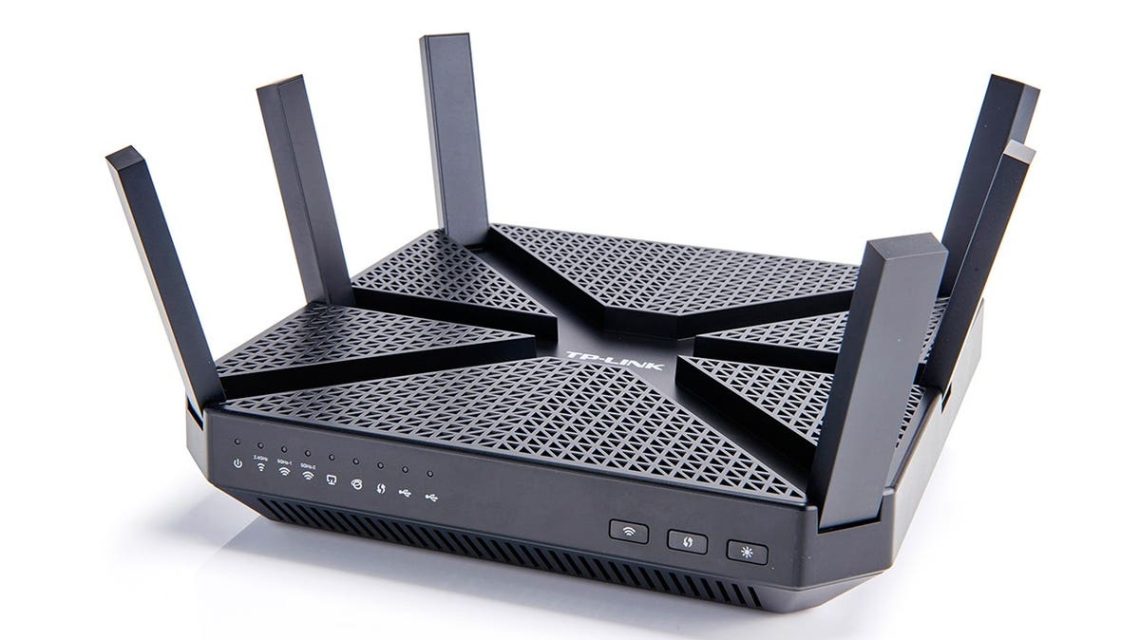
Your router is the device that connects your home to the internet and distributes Wi-Fi throughout the house. Many routers include a built-in firewall that helps protect the network by preventing unwanted internet connections. This layer of protection is vital as it reduces the exposure of your devices to unsolicited connections.
A software firewall, on the other hand, runs on individual devices like PCs or Macs. It offers additional monitoring and control at the device level, particularly useful when a device is connected to various networks. Both types can complement each other, with the router handling overall network security while the software firewall manages specific device activities.
Traffic Types: Inbound and Outbound
Inbound traffic refers to data coming into your device, like when a website sends information back to your browser. Some of this is expected if it responds to requests you’ve initiated. Unanticipated inbound traffic can pose risks.
Outbound traffic consists of data leaving your device. Actions like opening a webpage, sending emails or syncing files generate outbound traffic. Any unauthorized outbound attempts by unfamiliar programs prompt scrutiny.
How Firewalls Enhance Security
A firewall uses rules and application information to decide if a connection is familiar or requires attention. It may alert you, allow, or block connections, ensuring legitimate online activity continues while flagging and managing unusual behavior.
The Limits of Firewalls
Although a firewall controls network connections and reduces exposure to unsolicited traffic, it cannot strengthen weak passwords or identify scams. Nor can it replace antivirus protection, software updates, or multifactor authentication. Firewalls create a baseline of protection, but comprehensive security requires a multifaceted approach.
Optimizing Home Wi-Fi Security
- Secure Router Settings: Use recommended security modes and change default passwords for administrator access.
- Update Router Firmware: Regular updates improve performance and address vulnerabilities.
- Strengthen Wi-Fi Access: Use strong, unique passwords, and consider using a guest network for visitors.
- Review Connected Devices: Check the list of devices using Wi-Fi to spot unauthorized access.
- Replace Outdated Routers: Upgrade routers lacking security updates or current standards support.
Additional Security Practices
Your security should also rely on:
- Software Updates: Continuously update operating systems and applications.
- Multifactor Authentication: Add verification steps for critical accounts.
- Suspicious Link Vigilance: Be cautious with unexpected links and requests.
- Antivirus and Backups: Use antivirus software and establish reliable backups to safeguard data.
Together, these measures create a defense much stronger than relying on a firewall alone.
Your computer stores precious files like family photos and financial documents. That makes data protection as crucial as the device’s security itself.
Ransomware and Backup Strategies
Ransomware can encrypt files and demand payment for access. A firewall helps block suspicious connections, but ransomware may infiltrate in other ways. The 3-2-1 backup strategy is recommended: keep three copies of data on two storage types, with at least one stored separately.
Ensure backups are automatic, current, and isolated from the affected device to maximize recovery potential. If ransomware occurs, disconnect the affected device from the network, preserve evidence, and contact a cybersecurity professional if necessary.
For more information on tech security, visit CyberGuy.com, and explore options for antivirus protection to safeguard your devices effectively.
 State Department Simplifies Passport Process with Online Applications
  Senate Democrats Block Data Center Bill Over Efficiency Concerns
  Future Cities: Ambitious Projects Aiming for Innovation and Sustainability
  High-Profile Hearing and AI Developments: Key Political Moves
  Key Events in Today’s Discussions Involving Jack Smith and President Trump
  Jack Smith Faces Scrutiny Amid Investigations into Trump