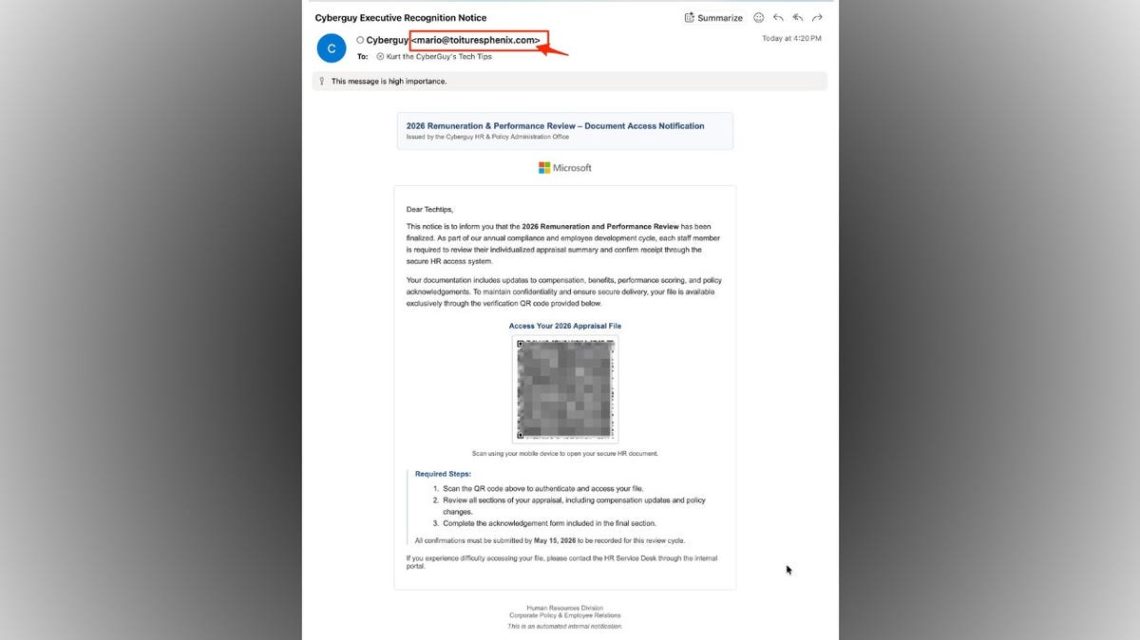
Recently, a suspicious email appeared resembling an official HR notice about a performance review. It mentioned pay updates, benefits, and an upcoming deadline, alongside a QR code supposedly linked to your file. The message claims to be from an internal HR office but directs you to scan a QR code to access your appraisal, which is a common phishing tactic.
Scammers exploit QR codes as they lead users onto phones where links are harder to verify. Recognizing the telltale signs in such emails is crucial.
Fake HR performance review emails use QR codes to lure employees into phishing pages designed to steal login details.
Here are eight red flags in QR code email scams and tips on spotting them:
- Inconsistent Sender’s Email: The email shows “CyberGuy” as the sender, but the address is [email protected]. Unrelated domains are a major warning sign.
- Creates Urgency: Imposing deadlines like May 15, 2026, pressures you into hasty actions without checking details.
- QR Code as Main Action: Directs to scan a QR code, a tactic known as “quishing.” Legit companies offer actual portals or URLs.
- Generic Greeting: Uses “Dear Techtips” instead of personal names, typical for phishing.
- Vague Language: Mentions a “secure HR system” without specifying recognizable platforms like Workday or ADP.
- Off Branding: Displays a Microsoft logo, easily impersonated to mimic corporate notices.
- Urgency Signals: Marked “high importance” to intensify pressure, a common scam technique.
- Bypasses Normal Logins: Urges scanning to access files, contradicting secure company logins.
Scammers exploit recognized QR codes from restaurants or airlines, lowering your guard. They embed malicious links that are hidden, leading to threats like malware, stolen credentials, or further attacks.
Protecting Yourself from QR Code Email Scams
- Avoid scanning unexpected QR codes. Use official websites instead.
- Verify the sender’s email domain. Authentic messages come from company-related addresses.
- Access HR systems via known URLs or bookmarks, not email links.
- Be suspicious of generic greetings lacking your name.
- Confirm unusual messages with your HR department using established contact methods.
- Use strong antivirus software to block phishing and malware.
- Consider data removal services to protect personal information.
- Ensure devices and apps stay updated for security.
- Enable two-factor authentication to secure accounts even if credentials are stolen.
Phishing methods evolve, like QR codes in fake HR notices today, and something else tomorrow. Always use secure, trustworthy paths, not those given in suspicious emails.
Kurt “Cyberguy” Knutsson shares tech insights on Fox News & FOX Business. Visit Cyberguy.com for tips on tech security and updates. Register for CyberGuy Live: Lock Down Your Phone in 30 Minutes on June 13 to learn phone security fixes.
 New & Notable Product Launches this Month
 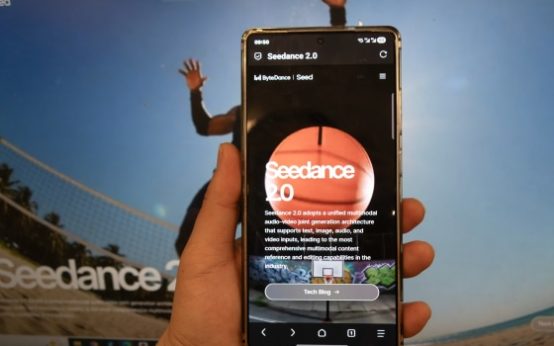 ByteDance and Motion Picture Association Strengthen AI Copyright Safeguards
  Proposed Federal Tax to Address Data Center Electricity Consumption
  Raytheon to Boost Tomahawk Missile Production Amid Stockpile Concerns
  Security Concerns Over Strava’s Role in Military Vulnerabilities
  Robots Learn Disassembly: A New Skill for Industrial Use